Introducing CFP Manager to Manage Speaking Engagements for the Team
 May 1, 2026






Are you speaking at Meetups, conferences, and other events frequently? How are you keeping track of the call for papers (CFPs) that you've submitted? Are you using messy spreadsheets?
Tracking your submitted sessions can be messy and complicated. If you're doing this as part of a team, managing those upcoming engagements can become increasingly difficult.
I'd like to introduce CFP Manager, a tool I created to manage the full speaker experience from before the event, after the event, and your next event. No more spreadsheets, no more guessing, just an overall improvement to your process. And the best part is that you can sign up and start using it for free.
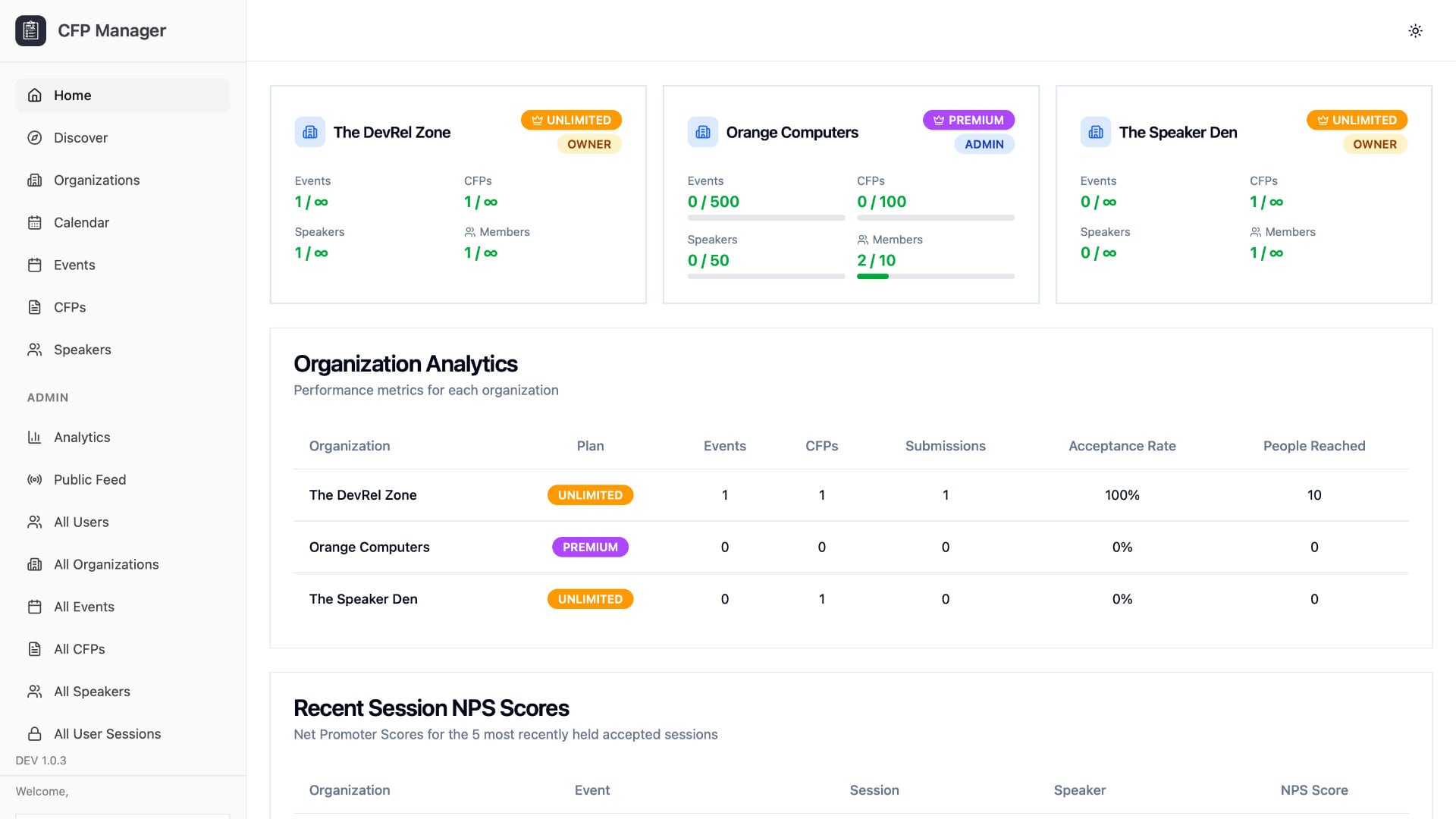
Let's walk through a few scenarios on why a tool like CFP Manager is important.
The Problem with Call for Papers (CFPs)
For the first scenario let's assume that you're a casual speaker working on awesome things who submits session ideas to a few Meetup groups and conferences per year. For conferences, their call for papers (CFPs) generally open and close months before the event actually happens.
Here are a few things you need to be aware of:
- You need to keep track of the CFP deadline so you don't miss your chance to submit a session.
- You need to keep track of the events that you've submitted to so you don't double book on your calendar.
- You need to keep track of the sessions that you've submitted.
The above list are only some of the things that you need to worry about prior to an event. Depending on how many sessions you're submitting or how many events you're submitting to, it likely means you're keeping track of these in a spreadsheet. It's not the end of the world to use a spreadsheet if you only submit to a small handful of events every year, but as you establish more sessions to present and as you attempt to extend your reach, those spreadsheets can become a bit of a mess.
Let's fast forward to you having been accepted to an event and even delivering a session:
- You need to update your notes or spreadsheet with the acceptance details, addresses, etc.
- You need to store the trip report and other notes about the event. This could include how many people attended your session, your overall impression of the event, notes on if you want to submit again in the future, etc.
- You need to store survey results and the overall satisfaction score for your session at the event.
At this point, however you've chosen to log the details of the event and your session, it's going to get more messy.
Let's fast forward to the next year of events:
- You need to figure out if you've submitted a session to the event in the past.
- You need to figure out if that session you've submitted last year had a good acceptance rate or a good satisfaction score with your audience.
Remember, this scenario you're just one person and the more sessions you have and the more events you submit sessions to, the messier things are going to become. Let's expand the scenario to include a team or organization:
- Who on the team is submitting sessions and are they having a good acceptance rate?
- Are you sponsoring the event or have you sponsored it in the past?
- What if your marketing team needs to submit sessions on someone's behalf?
- How about reporting?
You could use spreadsheets, or you could use an enterprise tool like Salesforce, but these are probably not the best tools for the job.
Who is CFP Manager For?
CFP Manager was built with a few different audiences in mind. If you fall into any of the following groups, the tool was designed with you in mind:
- Independent speakers who submit sessions to Meetups and conferences and want a single place to track everything.
- Developer Relations (DevRel) and Builder Relations (BuildRel) teams who need visibility into what their team is submitting, where they're getting accepted, and how their sessions are performing.
- Marketing teams that submit sessions on behalf of speakers and need to coordinate across multiple people and brands.
- Agencies that manage speaking programs for more than one client or brand and need clean separation between organizations.
If any of that sounds like you, CFP Manager will likely save you time.
Features within the CFP Manager Platform
To get an idea of what CFP Manager offers and how it might be able to help you, we're going to look at a few of the tool highlights.
Speaker, Event, and Call for Paper Management for a Team or Organization
You can manage a few things within CFP Manager:
- You can create an organization for your brand, team, or the company you work for. You can create and manage several organizations to separate your sessions, something that is useful if you work for an agency that might manage several very different teams.
- You can add any number of speakers to your organization. Speakers are not users, but speaker profiles that you can easily track. Need to quickly pull up a speaker description and social media links, no problem. Need to know what events this speaker was accepted to or the sessions they've submitted, no problem either.
- You can add any number of sessions to your organization. These sessions (call for papers) would include a title, abstract, presentation links, other assets, etc. Storing all these sessions makes it easy to pull them up whenever they're needed.
- You can track any number of events within an organization. These events include dates, locations, links, etc. and they also include trip reports, sponsorship details, and the people and sessions that have been submitted to them.
The idea here is to give you an easy way to manage every component involved in your speaking journey.
Curated List of Upcoming Events with Details
How do you know what events are coming up? I'm not talking about events that you've submitted to or that you've been accepted to. I'm talking about newly listed events that you may want to submit a call for papers session to.
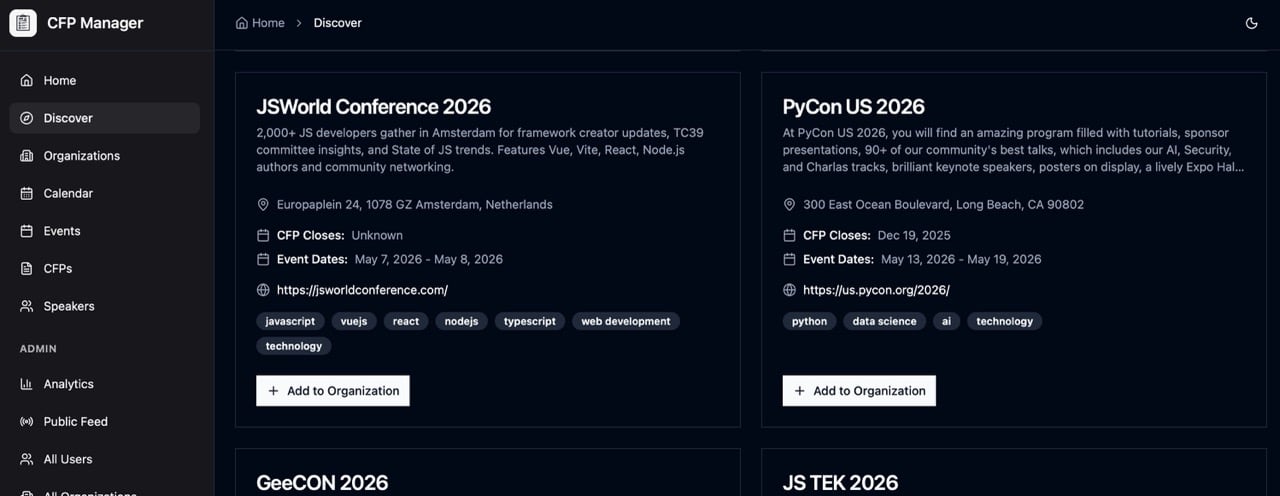
Within CFP Manager, you will find an optional curated list of events that include location details, dates, links, and anything else that might be valuable to you. This will save you from searching the internet any time you want to find an event.
Trip Reports for Every Event You Attend
Speaking at an event is only half the value. The other half is what you learned, who you met, and whether the event is worth attending again. CFP Manager lets you attach a trip report to every event so that information lives with the event itself instead of in a Google Document you'll never find again.
If you work on a team, trip reports become institutional memory. The next person considering submitting to that event can quickly see what last year looked like, how the audience received the session, and whether it's worth the travel budget.
Session Acceptance Rates and Metrics
It's easy to submit sessions to events, but if you're not following the data then you won't know if these event organizers are actually interested in what you're submitting.
With CFP Manager, you can track acceptance rates for an individual speaker, a session, or a particular event. This will help you to know what's working and what's not so you can focus more of your energy on what's working.
Net Promoter Scores (NPS)
Delivering a session is great, but you're likely going to want to know how well it was received by your audience at the event. It is common for presenters to distribute a survey through a QR code that links to a tool like SurveyMonkey. The problem is that this is just another tool you have to maintain.
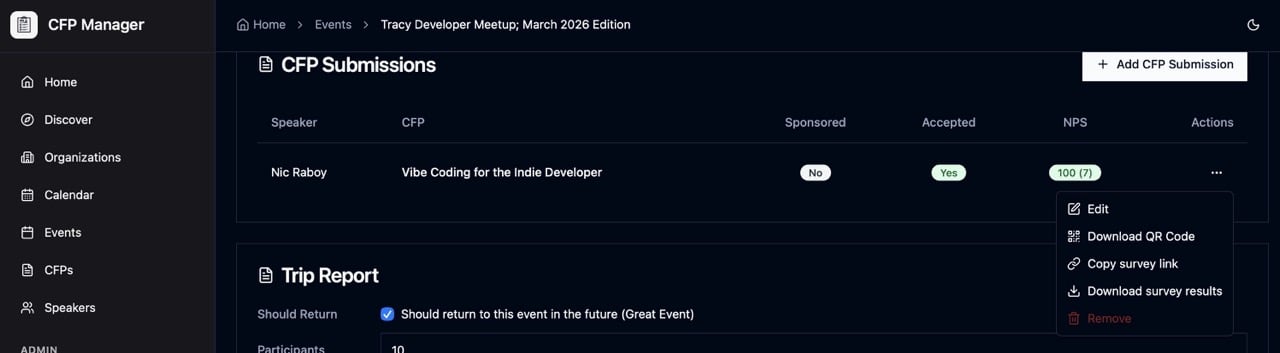
For every session submitted to an event with CFP Manager, you can generate a net promoter score (NPS) survey that asks a single question:
How likely are you to refer a friend, family member, or colleague to this session?
CFP Manager will allow participants to give the session a score and type optional feedback. The feedback flows through a well known NPS formula to give you a score. Using this information, you can track your session performance to either improve your session or eliminate your session.
Having this functionality built directly into CFP Manager matters for two reasons. First, you get a shareable link and a QR code generated for you, so there's no extra tool to wire up at the venue. Second, your statistics live in the same place as the session and event records, which means you can see at a glance how a particular session is performing across multiple events.
What CFP Manager is Not
To set expectations, it's a good idea to talk about what CFP Manager is not. CFP Manager is not an event management platform. It is not going to replace tools like Meetup, Sessionize, Eventbrite, and similar. Those tools are for managing events as an event organizer, not for managing sessions as an event presenter or speaker.
So if you're looking to list your events, sessions, and collect RSVPs, CFP Manager is not for you. If you're looking to see where you've submitted, how your sessions are performing, and what your speaker pipeline looks like, CFP Manager is built exactly for that.
Conclusion
CFP Manager can drastically improve your session tracking experience as an independent speaker or as a Marketing or Developer Relations team.
Create your first organization in under a minute. You can sign up and start using it today for free, and I'd love to hear your feedback as you put it through its paces.

Nic Raboy
Nic Raboy is an advocate of modern web and mobile development technologies. He has experience in C#, JavaScript, Golang and a variety of frameworks such as Angular, NativeScript, and Unity. Nic writes about his development experiences related to making web and mobile development easier to understand.


Search
Follow Us

Recent Posts
- Resty Desktop, a GUI for the Restic Backup Application
- Test Password Strength and Password History with TypeScript and MongoDB
- Extract Text from Your PDF and Image Files with Apache Tika
- How to Install MongoDB on Ubuntu: A Step-by-Step Guide for Beginners
- Running MongoDB in Docker - A Complete Guide with Examples
Support This Site
If you found this developer resource helpful, please consider supporting it through the following options: