Resty Desktop, a GUI for the Restic Backup Application
 June 26, 2026






There are quite a few backup applications in circulation, each with their own set of benefits. I have personally become very fond of the Restic backup application because of it being quick, reliable, and open source.
Typically when I use Restic on my server I'm using Backrest, like demonstrated in a previous tutorial. When I am on my desktop I use the CLI, but often find it cumbersome to remember the commands, paths to my backups, etc.
This brought me to the creation of Resty Desktop, a GUI wrapper to the official Restic CLI application!
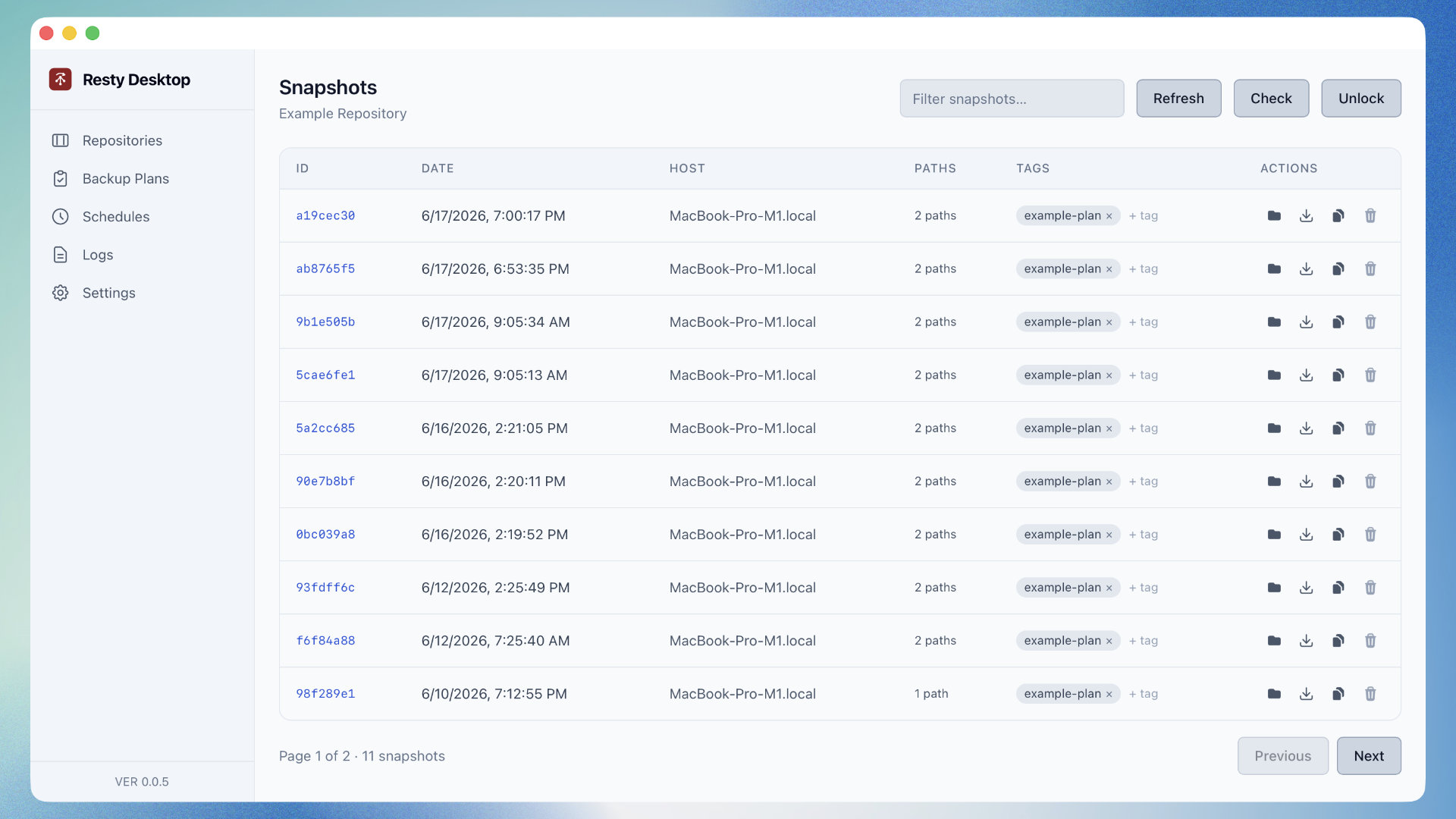
So what is Resty Desktop, who is it for, and what can you do with it?
In it's most basic form, Resty Desktop is a wrapper to Restic. This means that Resty Desktop won't function unless you have Restic installed on your computer and the path defined. All of the core functionality comes directly from Restic, a long established and trusted backup application. There are no backup or restore algorithms in Resty Desktop, so there's no concern about flawed backups and restorations, unless there's a bug in the actual underlying Restic application.
The Resty Desktop application features the following:
- Manage your repositories, whether they are remote, local, or something in-between (Samba).
- Define backup plans that include paths to back up, retention rules, exclusion rules, and more.
- Navigate repository snapshots, restore them, copy them to other managed repositories, view stats, etc.
- Browse files and directories within a snapshot and restore specific items instead of an entire snapshot.
- Compare snapshots and view or restore from the diff.
- Schedule backups to run in the background.
With the exception of the scheduled backups, all features of the application generate commands that are used behind the scenes with the Restic application. The scheduled backups are something extra that allows you to schedule tasks in the background, in case you wanted automatic backups.
There are a few things to note:
- Repository information, snapshot information, and file tree information are cached locally on your computer for performance and quality of life reasons.
- Sensitive information such as repository passwords are encrypted at rest using a master password that is never stored on your computer.
- The application is open source, so if you're skeptical about anything, you can check it out in the code.
The Resty Desktop application was created with Tauri, a cross platform desktop application framework that uses Rust and common web technologies. This means you can create builds for macOS, Windows, and Linux and get the same experience between them.
If you have features you'd like to see, or if you'd like to contribute, take a trip to the GitHub page to learn more.

Nic Raboy
Nic Raboy is an advocate of modern web and mobile development technologies. He has experience in C#, JavaScript, Golang and a variety of frameworks such as Angular, NativeScript, and Unity. Nic writes about his development experiences related to making web and mobile development easier to understand.


Search
Follow Us

Recent Posts
- Multiplayer Game Development with TypeScript, Phaser, Socket.io, and MongoDB
- Resty Desktop, a GUI for the Restic Backup Application
- Test Password Strength and Password History with TypeScript and MongoDB
- Extract Text from Your PDF and Image Files with Apache Tika
- How to Install MongoDB on Ubuntu: A Step-by-Step Guide for Beginners
Support This Site
If you found this developer resource helpful, please consider supporting it through the following options: